How to put text, a logo or your screen on LED curtain lights
The short answer
An LED curtain is a grid of pixels, so it can show words, logos, simple pictures and even your screen. Keep it bold: short words, big shapes and a black background read best, and more curtains side by side give you a bigger screen. GlowBop puts text, logos and screen mirroring on your curtains from one console. See text, logos and mirror.
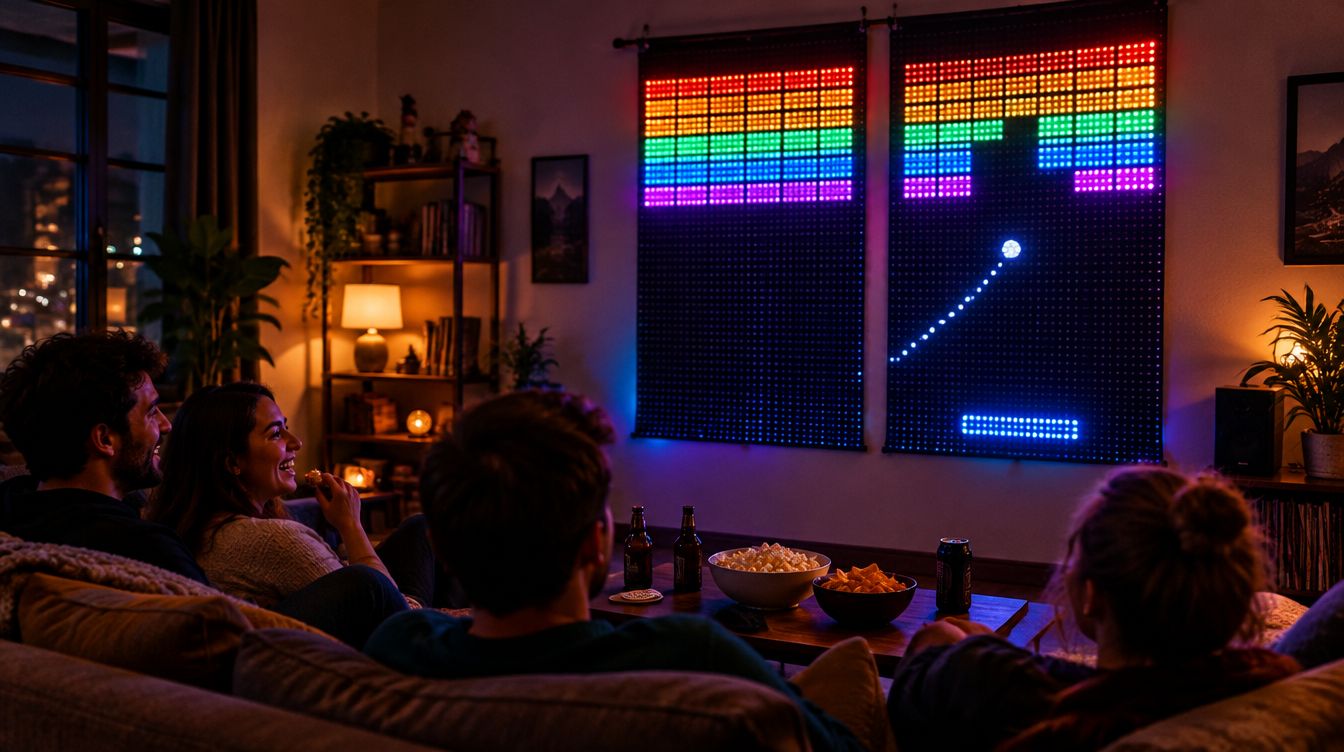
Can my LED curtain show text or pictures?
If it is a pixel curtain, yes. A curtain is a grid of pixels: rows and columns of bulbs where each one can be its own color. That is what lets it draw a pumpkin, a score or a name. A light that only glows one color at a time can set a mood, but it cannot draw words.
What you can upload depends on the brand and the model. Some brand apps let you add a picture or a GIF on certain curtains, some do not. Your light's own help pages are the best place to check what yours can do.
How do I make text look good on a curtain?
A curtain is not a TV. It has a lot fewer dots, and that is fine, as long as you design for it:
- Short words win. A name, HAPPY BIRTHDAY or JUMP reads from across the room. A long sentence works better as a scroll.
- Bold and simple. Thick letters and big shapes beat fine detail. Think pixel art, not a photo.
- Black background. For logos, a PNG with a see-through or black background looks clean, because black on a curtain is just a bulb that is off.
- Strong colors. Bright, saturated colors pop. Pale pastels and thin lines can fade into the glow.
- Step back. Curtains look best from a few steps away, where the dots blend into a picture.
How do I get a bigger picture?
Add curtains. Two curtains side by side is a great start, and every curtain you add makes the screen bigger, so words get larger and pictures get more room. It works on an apartment wall as well as a front porch.
Can I put my screen on my lights?
You can, with an app that mirrors your computer screen. Music videos, visualizers and games look great. One honest heads up: some streaming services protect their video so it cannot be captured from the screen, and it can show up black. That is a limit of the service and Windows, not your lights.
How GlowBop handles it
GlowBop's whole idea is simple: put anything on your lights. Text, logos and screen mirror are part of every plan, including Home DJ. I run it on a wall of Twinkly curtains in my own house, with a Nanoleaf string and a LIFX string beside it.
Your words
Tap TEXT and type. Pick a mode: Scroll for a marquee, Beat words for one word per beat, Still, or On drop so it shows on each drop. Color can follow the show, go rainbow or stay white, and the text sits over the light show or on its own. Flash a word on every drop, like the birthday kid's name. Save your messages and tap them back on later.
Your logo
Under Logo, tap Choose a picture and pick a PNG. Give it Glow, Pulse or Colour shift motion, and show the logo alone or with your text. Turn on Slideshow and it rotates through every logo you have saved. Great for DJs, bars, gyms and small businesses. Step by step in the text and logo guide.
Your screen
Screen mirror plays what is on your laptop across your whole light wall, live. Every light you own, any brand mix, shows its part of the same picture. Pick a style: TV for the picture, Beat to pulse it with the music, or Glow for soft, dreamy color. Smart fill trims black bars so the video fills the wall, and center zoom makes shapes bigger and bolder. Got two monitors? Pick which one goes on the lights. More on the features page.
Lights in any shape
Want your lights hung as a heart, a star, letters or your logo? Pro Art (BETA) maps them from a drawing (SVG, PNG or JPG), a photo of the lights switched on, a spreadsheet, an xLights model or a GlowBop sign file, which marks the bulbs that light up and the wire runs that stay dark so logo signs look clean. It is part of Pro DJ.
A bigger screen
GlowBop runs up to 8 curtains as one wall: side by side, stacked or in a grid. It treats them as one big screen and resizes every show to fit, keeping pixel art crisp. Have string lights? Make it a curtain: pick a height and GlowBop works out the rows for you. See the line-up guide.
Which lights work today? Twinkly curtains and strings, Nanoleaf string lights and the LIFX String. Govee works as one color for the whole curtain, so it cannot show words or pictures. Everything is on supported lights.
Try it
Type your name on a pretend wall in the live demo, then start the 7-day free trial on the pricing page. DJ with a curtain behind you? Read how to run an LED curtain DJ backdrop.
Questions people ask
Can my LED curtain show text or a scrolling message?
Yes, if it is a pixel curtain. In GlowBop, tap TEXT, type your message and pick Scroll, Beat words, Still or On drop.
Can I put my logo or a picture on my curtain lights?
Yes. Under Logo, choose a picture; a PNG with a see-through or black background works best. Pick Glow, Pulse or Colour shift and tap Show logo.
Can I mirror my laptop screen onto my LED lights?
Yes. GlowBop's screen mirror plays what is on your laptop across your lights, with TV, Beat and Glow styles. It works best with the video full screen.
Why does a streaming video show black when I mirror it?
Some streaming services protect their video so it cannot be captured from the screen, and it can come out black. That is a limit of the service and Windows, not your lights.
How many curtains do I need to show a picture?
One curtain can show words and simple shapes. More curtains side by side make a bigger screen, and GlowBop runs up to 8 as one wall.
Can I hang my lights in a heart, a letter or a logo shape?
Yes, with Pro Art (BETA). Map your lights from a drawing, a photo of the lights switched on, a CSV or an xLights model. It is part of Pro DJ.