Pro DJ lighting for the lights you already own.
DJs never had this kind of control over the lights at a party. Autoloops, cue lists with GO, Song Shows, faders, zones and your MIDI controller, on consumer LED lights instead of DMX stage fixtures. It listens to the audio, so it works with Spotify, YouTube, Serato, rekordbox or VirtualDJ, no plugin needed. Run the whole show from a phone or iPad.
The words lighting techs use, on keys you can reach with one thumb.
Three ways to go all in
Pro DJ for the gig, Pro Home for the house, Pro Art for lights in any shape. Plus Live map: the layout editor opens right over every Pro page while the show keeps playing.
Music, faders, loops and cues on one page. Autoloops, cue lists with GO, Song Shows and MIDI controllers.
See Pro DJ →One-tap house scenes, lights on at sunset and off at bedtime, zones and the holiday calendar. All automatic.
See Pro Home →Hearts, letters, your logo. Map your lights from a file, plus Live map over every Pro page. Free for everyone until Oct 31.
See Pro Art →32 beat-synced looks, ready to play
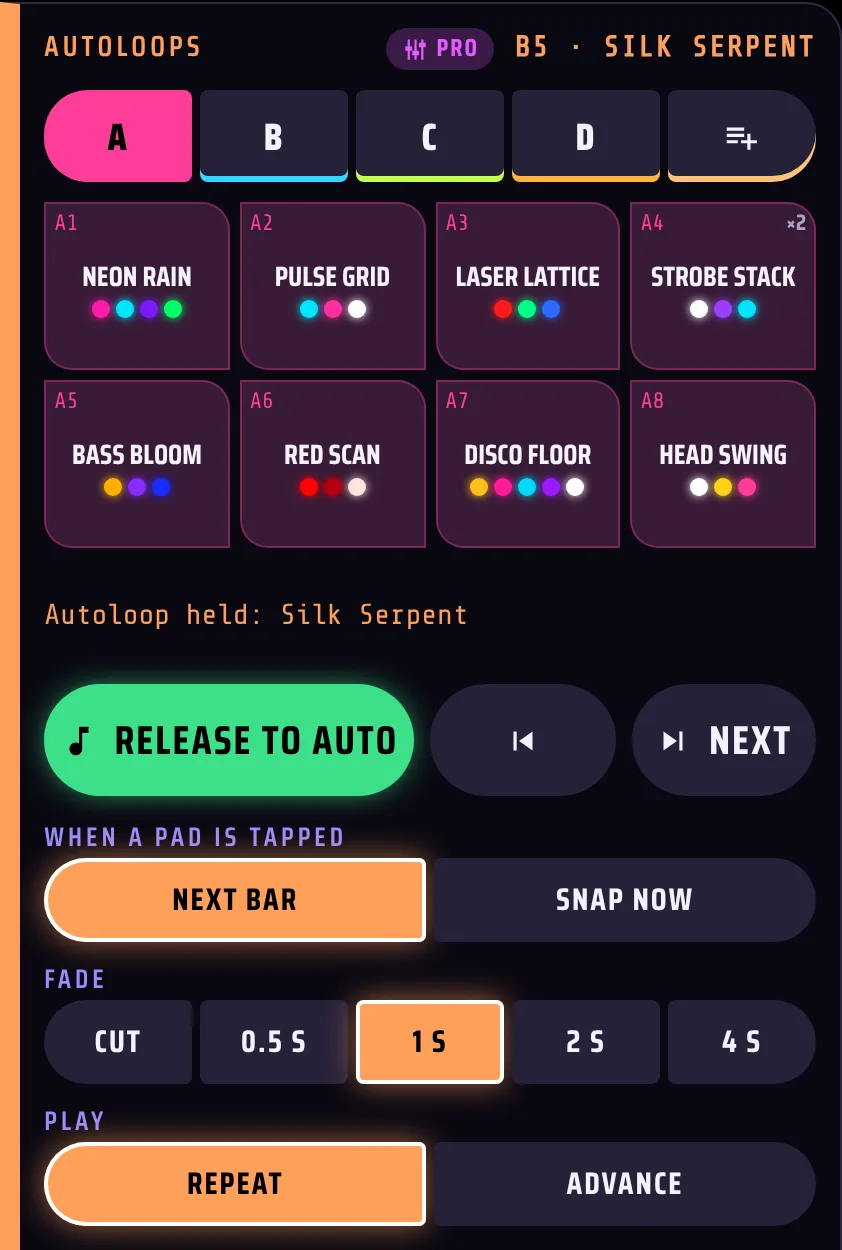
Four banks of eight: Club, Chill / Flow, Big Room and Color, each pad a look, one or two effects and a palette. Tap a pad and it drops in on the next bar and holds the wall, or let Advance move on every 4, 8, 16 or 32 bars.
- Next bar or Snap now, with a fade you pick (cut to 4 s).
- Each pad at ¼, ½, 1, 2 or 4 times the beat.
- A fifth bank holds your Scenes.
 Real app screenshot
You save the moment, you bring it back
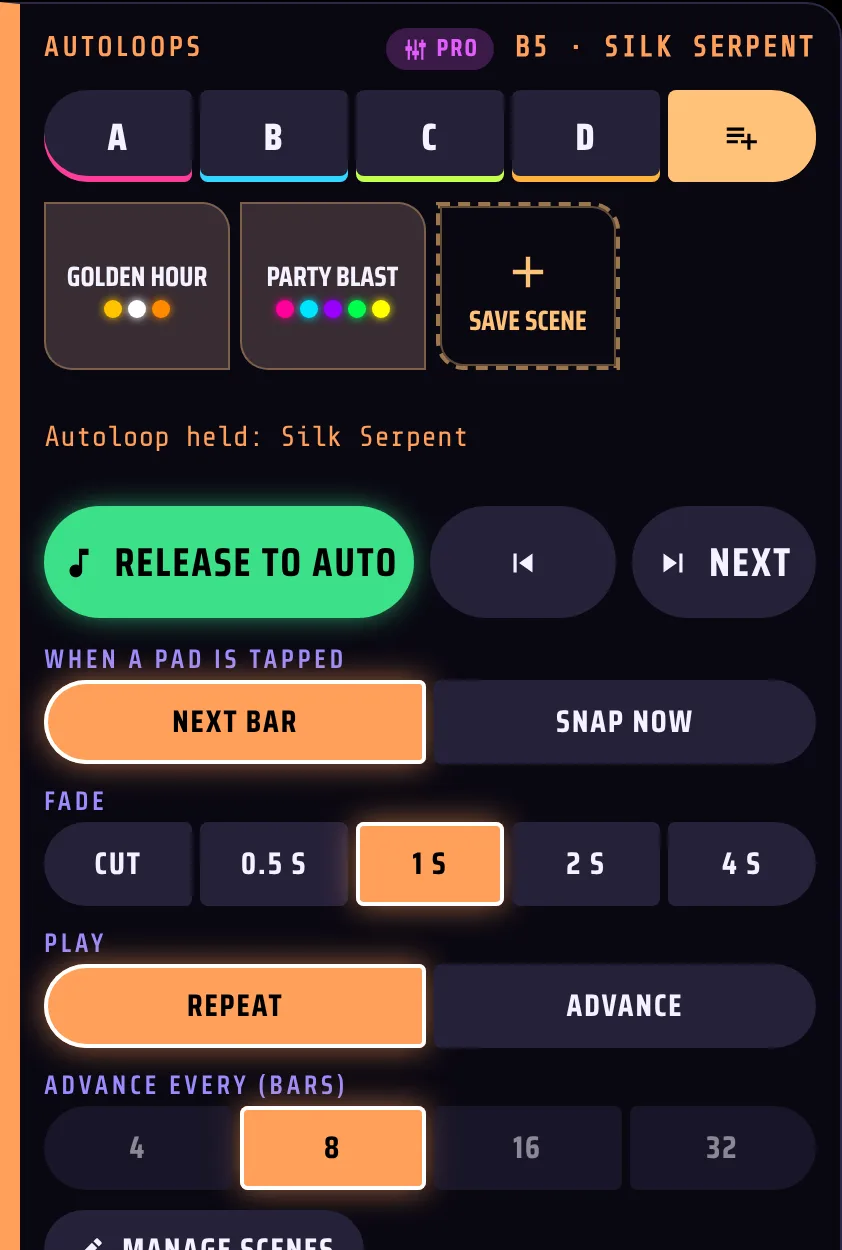
Love how the wall looks right now? Save it as a Scene: the look, the effect, the colours and the faders. Recall it later with a smooth fade, from a pad, a cue or your controller.
- Up to 64 scenes, renamed and reordered any time.
- Use them in cue lists for your big moments.
 Real app screenshot
You run a wedding with one button
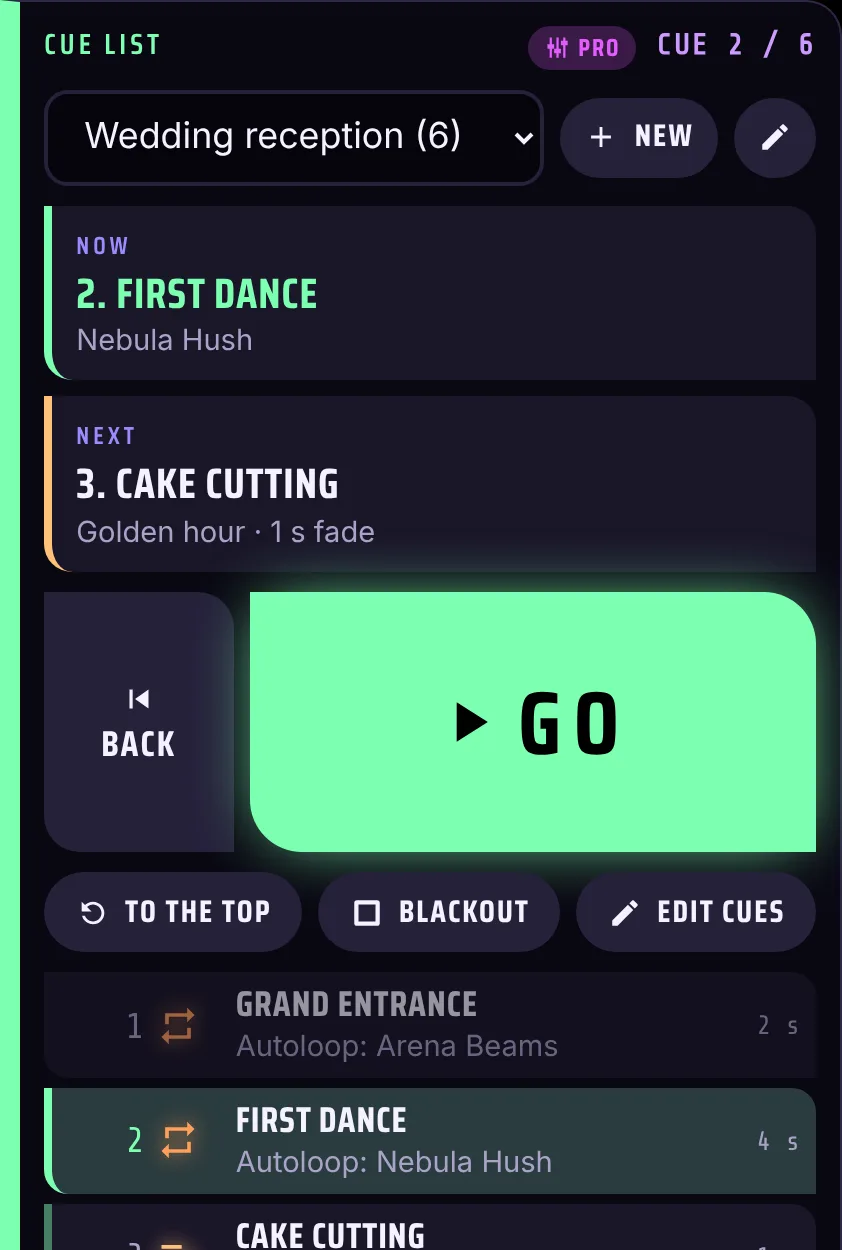
Plan the event top to bottom: Grand Entrance, First Dance, Cake, Last Song. Then tap the big GO for each moment. Each cue crossfades in over its own fade time.
- Cues can be an Autoloop, a Scene, a Blackout, an Interlude or Back to Auto, each with a note.
- Now and Next in big letters, Back, jump to any cue.
- A list per event. On a laptop, the space bar is GO.
 Real app screenshot
You land every flash on the kick
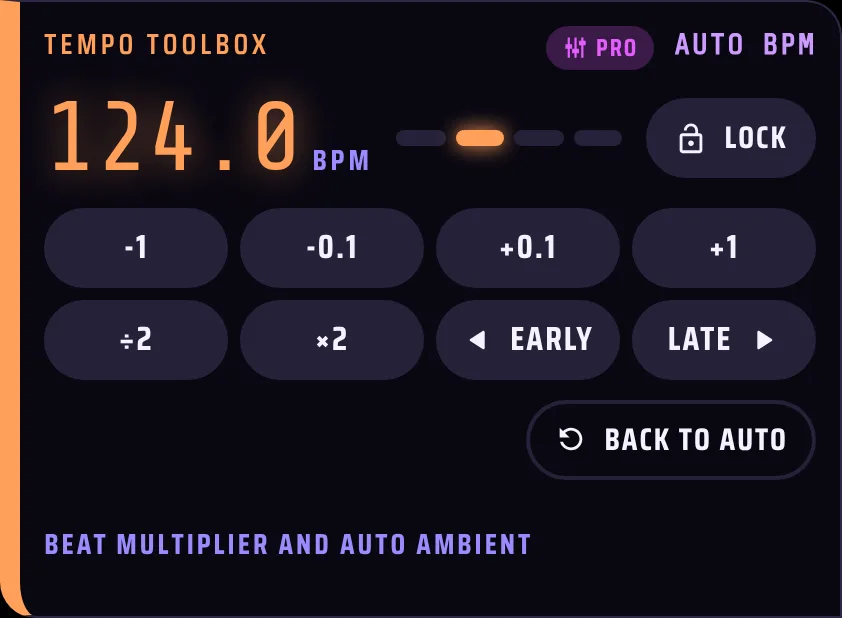
Fine-tune the BPM in 0.1 steps, double or halve it, nudge the beat earlier or later and lock it. Auto Ambient goes calm by itself when the music stops, and comes back with it.
- ±0.1 and ±1 BPM, x2 and /2, Early and Late.
- Auto Ambient after 5, 10, 20 or 45 seconds of silence.
 Real app screenshot
You program a whole song, once
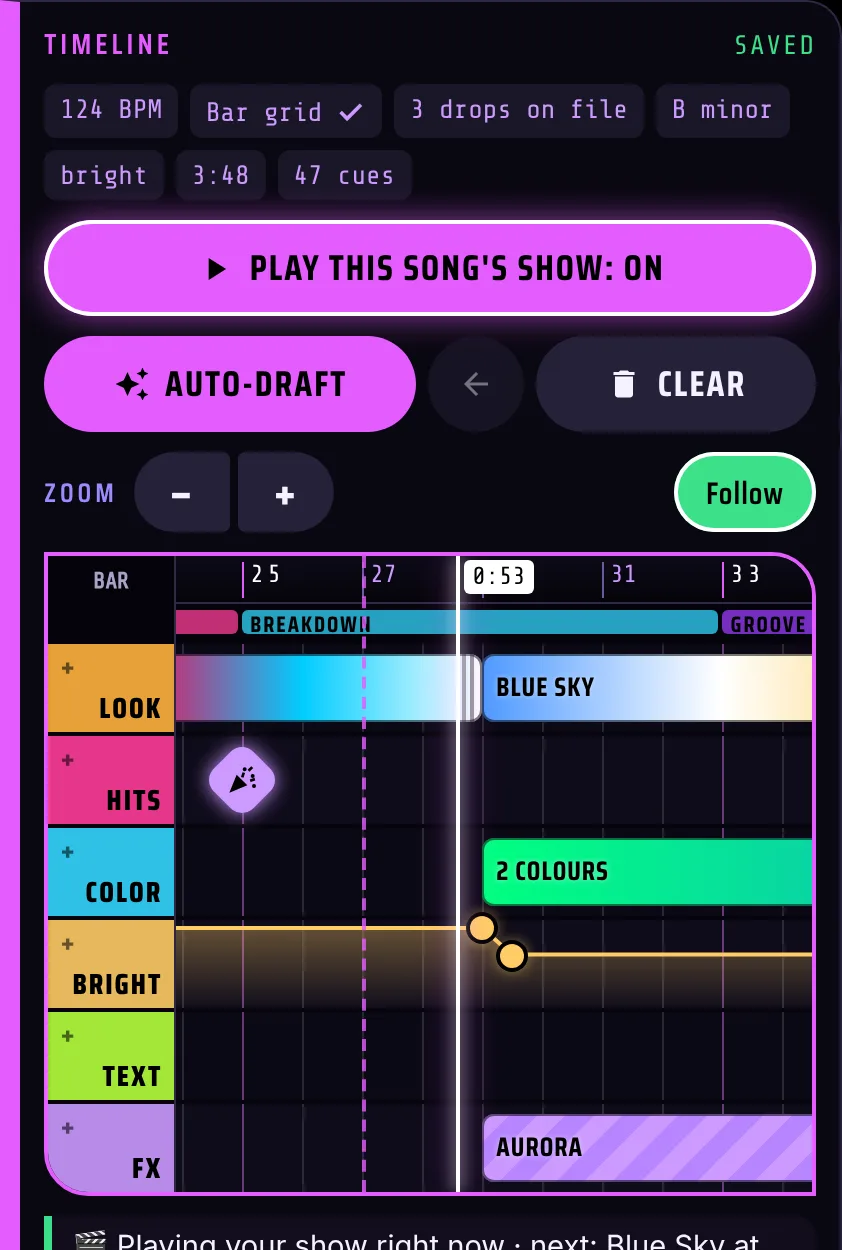
A timeline for every song, with lanes for the look, hits, colour, brightness, text and effects. Auto-draft writes a full show from the song's drops and mood in one tap; you drag, stretch and tweak it. Or record your DJ pads straight into the song.
- Plays the same way every time that song comes on.
- Anywhere the show is empty, GlowBop keeps reacting live.
 Real app screenshot
You ride the wall like a lighting desk
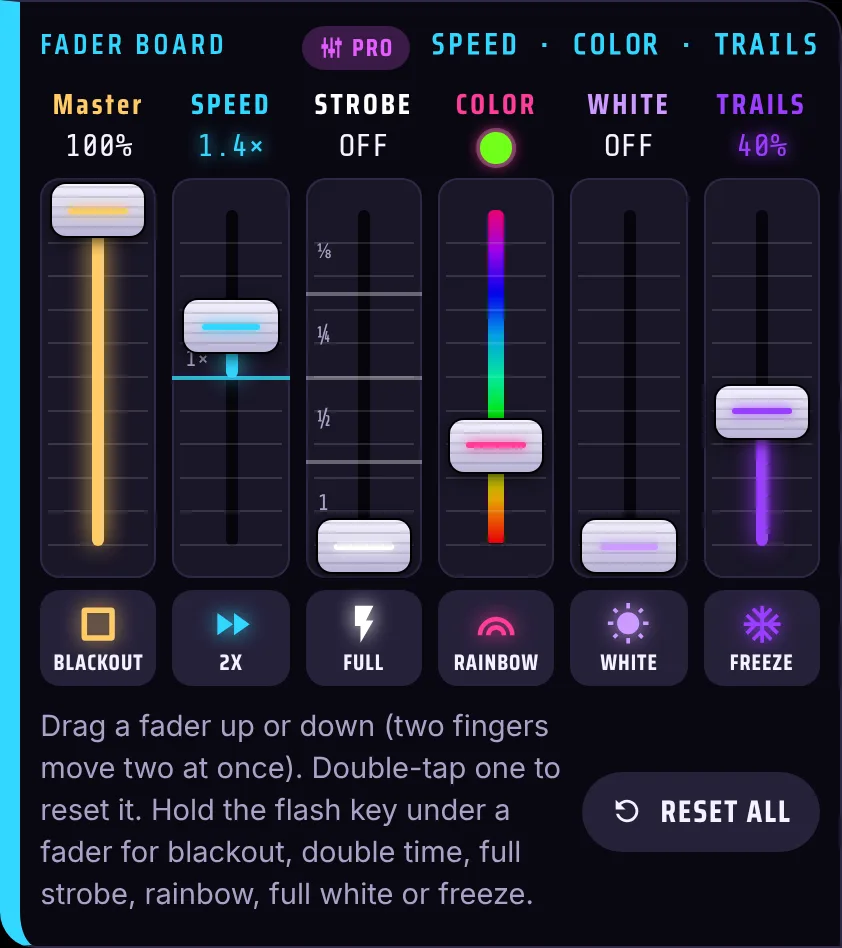
Six live faders on top of any show: Master, speed, a strobe locked to the beat, a colour wheel, white and trails. Two fingers move two faders on an iPad, with a flash key under each one.
- Hold keys for blackout, double time, full strobe, rainbow, white and freeze.
- Hold keys let go by themselves if the Wi-Fi drops.
 Real app screenshot
A sampler for your lights
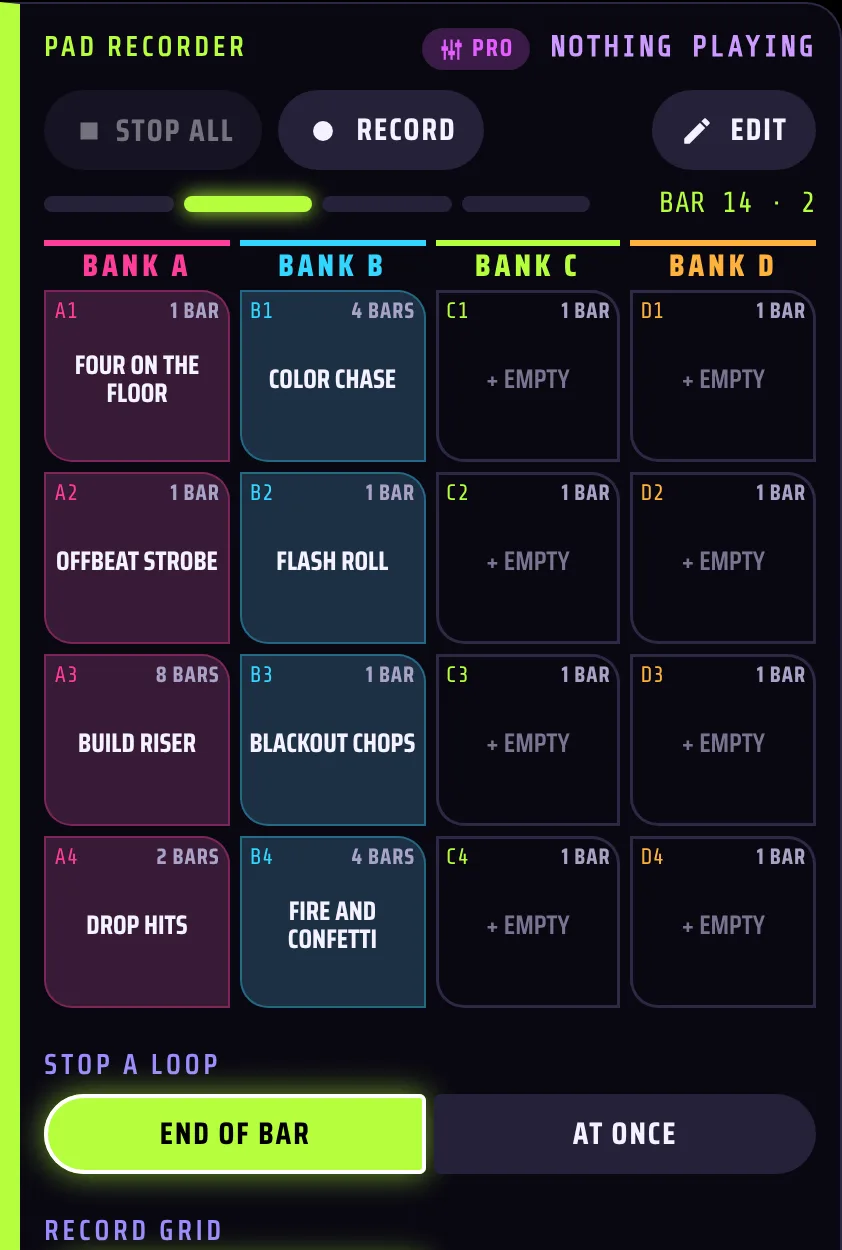
Record a phrase of hit pads, 1 to 8 bars, and fire it back on the beat, looping over any song. Four banks of four slots, eight starter loops and a step editor.
- Starts on the next bar, stops at the end of the bar or at once.
- Overdub a playing loop to add another layer.
 Real app screenshot
You take over the wall in one touch
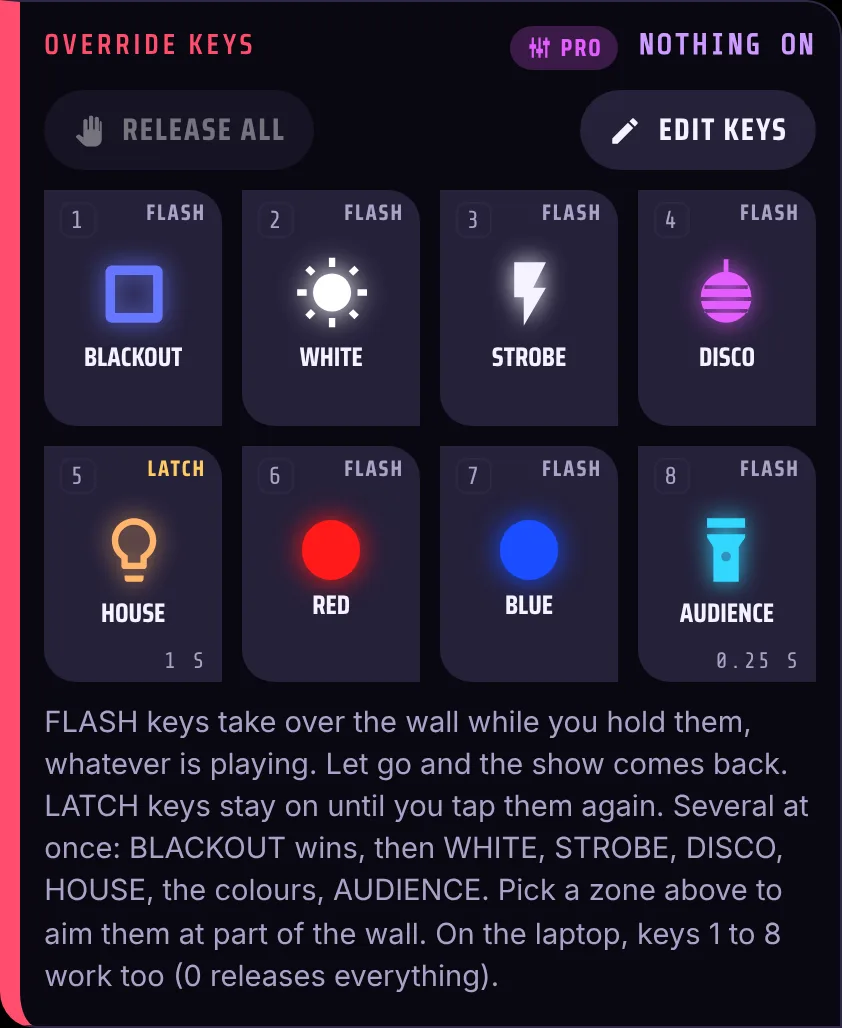
Eight big keys: Blackout, White, Strobe, Disco, House, two colours and Audience. Flash keys work while held, Latch keys stay on. For speeches and band changes, Interlude · Ambient drifts the wall into a calm glow or BE RIGHT BACK that ignores the mic, then fades the show back in.
- Fades, your own colours and names, laptop keys 1 to 8.
- Interlude can start by itself when the music stops.
 Real app screenshot
You split the wall, you pick the colours
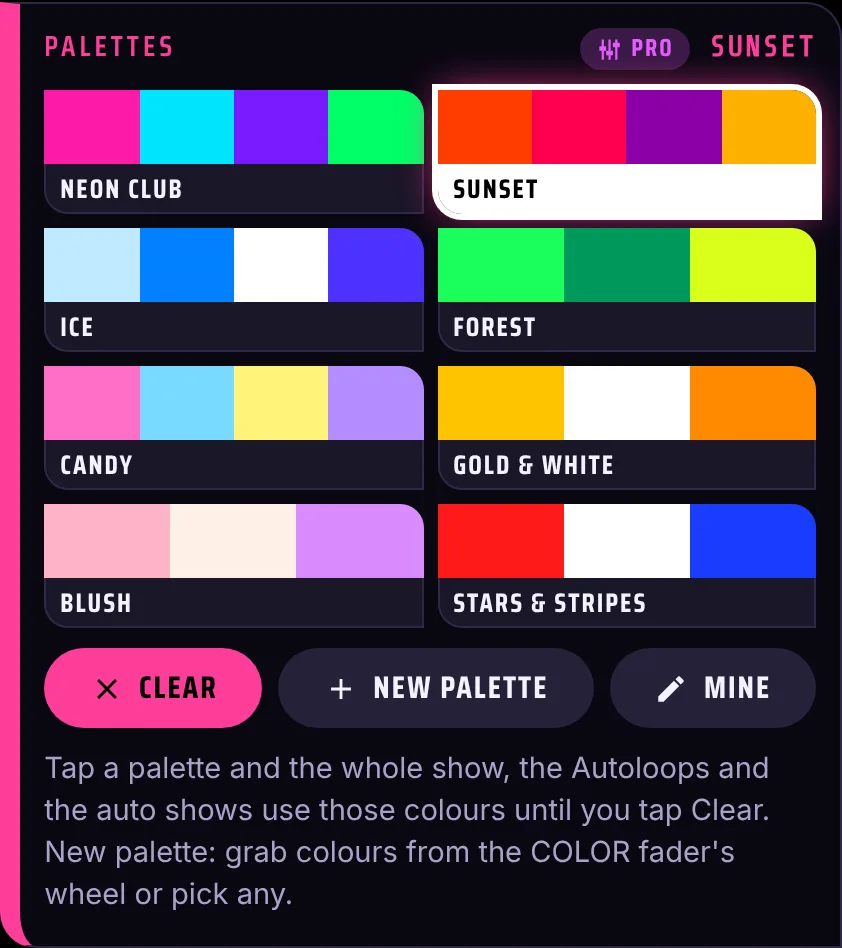
Zones: left, right, top, bottom, center, odd, even, each curtain and every named string from Draw your layout. Aim the override keys at one zone and give each zone its own fader, like a submaster. Pick a colour palette and every look, Autoloop and auto show follows it.
- 8 built-in palettes (Neon Club, Sunset, Ice, Blush and more) plus your own.
- Perfect for wedding or brand colours.
 Real app screenshot
Your controller, mapped
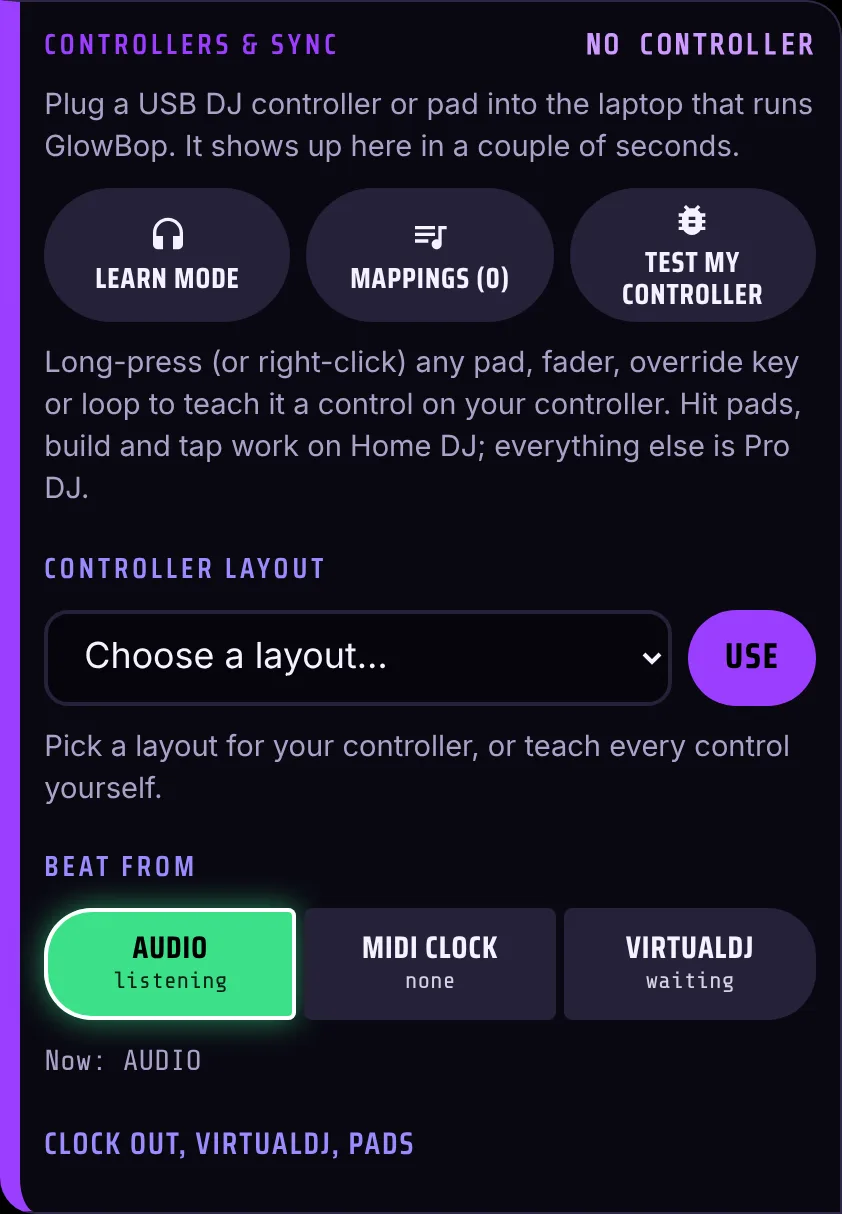
Long-press any pad, fader, override key, Autoloop or cue key, then press a button on your controller. Or pick a ready layout for the Akai APC mini mk2 and APC40 mkII, Novation Launchpad Mini MK3, Launchpad X and Launch Control XL, with the pad LEDs lighting up to match.
- Soft takeover, so faders never jump.
- Hit pads, Build and Tap work on Home DJ too.
 Real app screenshot
A different vibe in every room
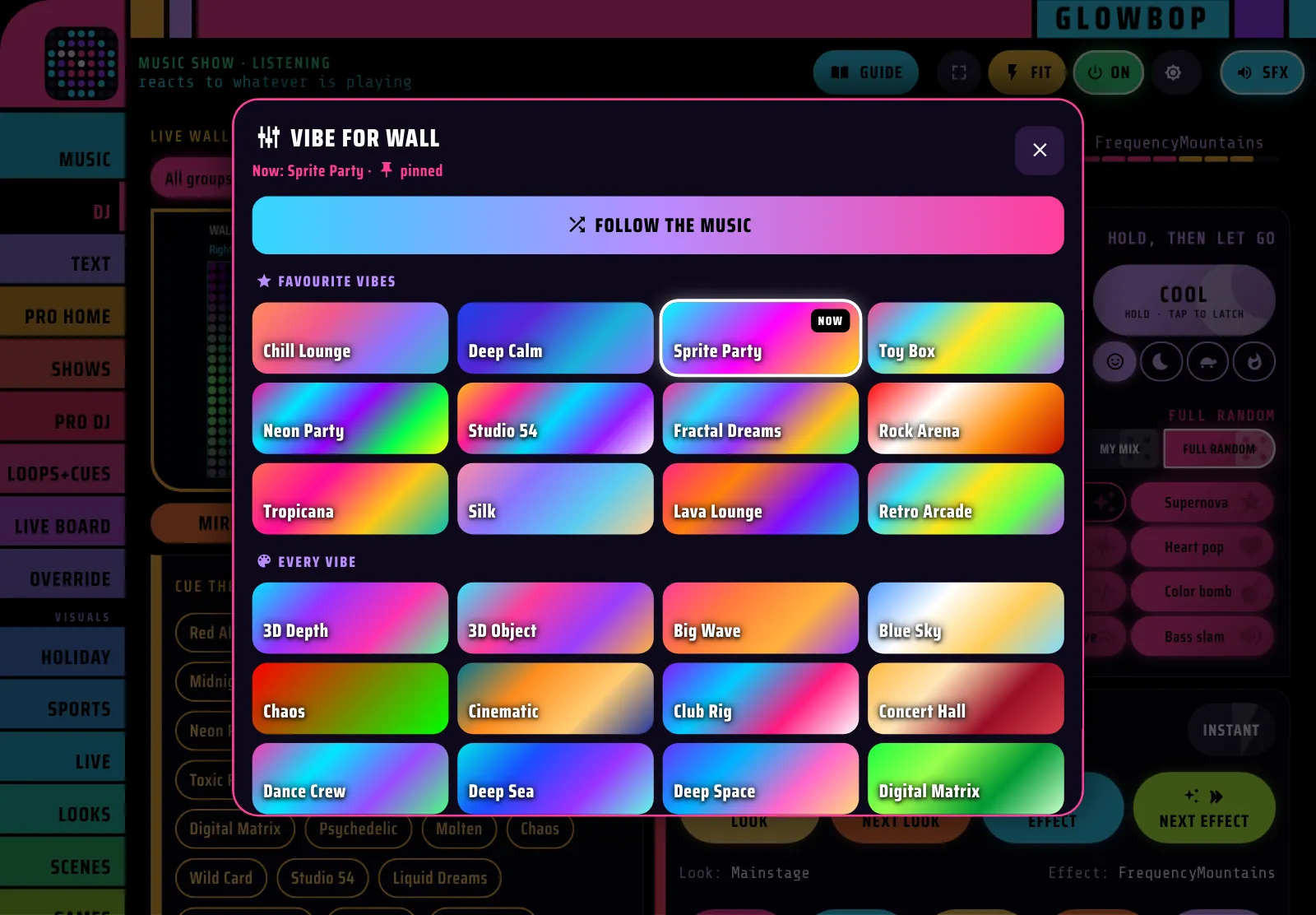
Split your lights into their own shows, then tap any screen on the live wall and pick its vibe. That group keeps it, everything else keeps following you.
- Vibe cards painted in each look's own colors, favourites first.
- Follow the music hands a group back to the auto show.
- Every screen's label shows the vibe it is running.
 Real app screenshot
MIDI clock in and out
Follow the MIDI clock from your DJ software or a drum machine, or send GlowBop's beat out to other gear. If the clock stops, GlowBop goes back to listening to the audio.
VirtualDJ link
GlowBop follows VirtualDJ's beat over OS2L:
- In VirtualDJ open Settings → Options and search os2l.
- Set os2lDirectIp to 127.0.0.1:9996.
- Restart VirtualDJ and pick VirtualDJ under Beat from.
"Test my controller"
Press pads and move faders: every message shows with what it does. One tap sends the test to GlowBop support, so we can add or fix your controller.
The fun extras no DJ lighting app has
Self-playing arcade games, 23 holidays for your country, 44 live sports leagues, earthquakes and the aurora, text and logos, draw-your-house mapping, a live wall editor for every curtain and string, and 12 console sound styles. All in Pro DJ too.
GlowBop Pro DJ vs DJ lighting software → How it hears the music →
What Pro adds
Same app, same lights. A Pro DJ key adds four Pro tabs to the console.
| 🏠 Home DJ | 🎛️ Pro DJ | |
|---|---|---|
| The music show with drop detection, Epic, calm and genre styles | ✓ Yes | ✓ Yes |
| DJ mode: 13 hit pads, build & drop, cue, tap tempo, crowd lines | ✓ Yes | ✓ Yes |
| Every look, game, holiday, fire, sport and live feed | ✓ Yes | ✓ Yes |
| Up to 8 curtains, 3D shapes, draw your layout | ✓ Yes | ✓ Yes |
| Phone & iPad console, 12 sound styles | ✓ Yes | ✓ Yes |
| DJ controller: hit pads, Build and Tap | ✓ Yes | ✓ Yes |
| Autoloops (32) and Scenes | Not included | ✓ Yes |
| Cue lists with GO | Not included | ✓ Yes |
| Tempo toolbox and Auto Ambient | Not included | ✓ Yes |
| Song Shows | Not included | ✓ Yes |
| Fader board, zone faders and palettes | Not included | ✓ Yes |
| Pad Recorder | Not included | ✓ Yes |
| Override keys and Interlude · Ambient | Not included | ✓ Yes |
| Map every control, controller layouts with LED feedback | Not included | ✓ Yes |
| MIDI clock in and out, VirtualDJ link | Not included | ✓ Yes |
| Lay out your lights: live wall editor, string lights into curtains, main panel | ✓ Yes | ✓ Yes |
| Tonight's list and the show behind the scores | ✓ Yes | ✓ Yes |
| Pro Art (BETA): map lights from a file, .glowbop sign files | Free until Oct 31 | ✓ Yes |
| Snap to join: drop lights together to share one show | ✓ Yes | ✓ Yes |
| Split lights into their own shows, a vibe per screen | Not included | ✓ Yes |
| Live map over PRO DJ, PRO HOME and PRO ART | Not included | ✓ Yes |
| Price | $5.99/mo · $59/yr · $379 once | $8.99/mo · $89/yr · $449 once |
Pro DJ questions
Do I need a controller?
No. Everything works by touch on a phone, iPad or the laptop. A MIDI controller is a bonus: plug it into the laptop, pick a ready layout or long-press any control to teach it a button.
Does it work with Serato, rekordbox or Traktor?
Yes. GlowBop listens to the audio your laptop plays, so it works with any DJ software or music app, with no plugin. For the tightest beat, use VirtualDJ (GlowBop follows its beat over OS2L) or send MIDI clock from your software. There is no Ableton Link, Pioneer Pro DJ Link or Denon StageLinQ yet: those need licence or partner deals.
Does it run DMX moving heads or fog machines?
No. GlowBop is made for consumer LED lights: Twinkly curtains, Nanoleaf string lights and the LIFX String today, with WLED and Bluetooth curtains built in and in testing, and Govee as a one-color wash. If your rig is DMX stage fixtures, a DMX app like SoundSwitch or Lightkey is the better fit.
Are the shows pre-mapped to the song?
The auto show reacts live: it hears the build, the drop and the break as the song plays, and remembers songs it has heard. Want a fixed show? Program it once in Song Shows, or let Auto-draft write one.
How do I set up VirtualDJ?
In VirtualDJ open Settings, then Options, search for os2l and set os2lDirectIp to 127.0.0.1:9996. Restart VirtualDJ, then pick VirtualDJ under Beat from in GlowBop's Controllers & Sync.
My controller isn't listed. Now what?
Long-press any control to teach it a button, and use Test my controller in SETUP: press pads and move faders, then tap Send to GlowBop support. The test comes straight to us so we can add your controller.
Can I try it first?
Yes. The live demo is the real console on a pretend wall, and every Pro tool is playable. Pro DJ monthly and yearly plans also start with a 7-day free trial.
Play your lights like an instrument
Try every Pro tool in the live demo, then start your 7-day Pro DJ free trial.