How to make an easy Halloween light show to music (in one evening)
The short answer
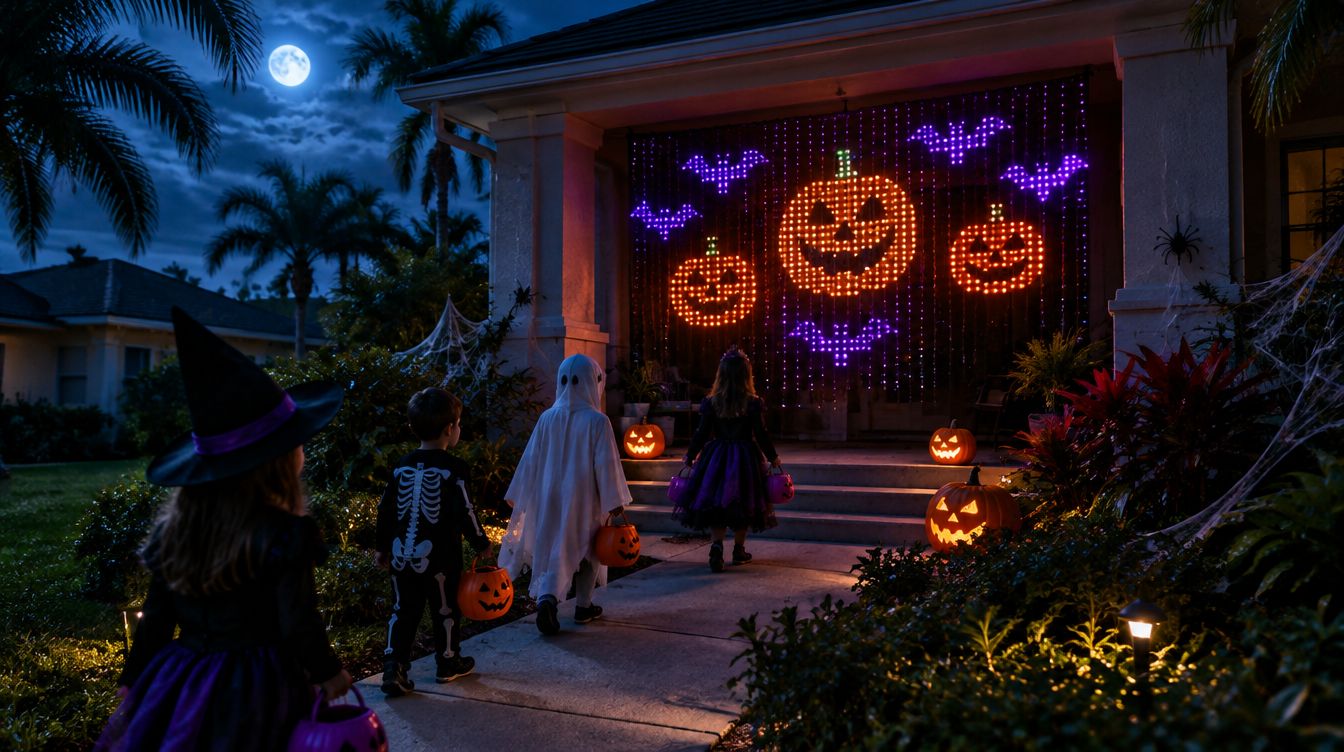
Hang an outdoor-rated LED curtain on a covered porch or inside a front window, put a speaker by the door, and run the show from a computer inside with your phone as the remote. Test it at dusk the night before. GlowBop has a Halloween show with jack-o'-lanterns, bats, ghosts and a Halloween Night mini-movie that plays to your music.
What do I need for a simple Halloween light show?
On Halloween night you do not need a yard full of props to wow the street. A beginner show can be four things:
- One LED curtain or a few string lights. A curtain is best, because it can show pictures like pumpkins and bats.
- A speaker near the front door.
- A computer inside to run the show, on your home Wi-Fi.
- Your phone as the remote, so you can change things from the porch.
Where should I hang the lights?
Pick the spot trick-or-treaters walk toward.
- A covered porch. Hang the curtain behind the porch posts or across the back wall. It stays dry and frames the door.
- Or a front window. Hang the curtain inside, facing out. No weather worries at all, and it works great in apartments and townhouses too.
- Hang it flat and straight. A curtain that sways or bunches up bends every picture. A tension rod or a few hooks along the top help.
- Keep the controller box reachable. You may need to unplug and replug it, so do not bury it behind the bushes.
- Stay close to the router. Many smart lights only use 2.4 GHz Wi-Fi. The closer the curtain is to your router, the smoother the show.
How do I set up the speaker and music?
- Put the speaker by the door, pointed at the walkway. It does not need to be loud. Kids only need to hear it from the sidewalk.
- Be kind to the neighbors. Turn it down after trick-or-treat hours.
- A wired speaker is the safest bet. Bluetooth works, but it plays a moment late. If you use one, line the lights up with a sync setting. More in why are my lights behind the beat.
- Build a playlist ahead of time: a mix of spooky classics and party songs, plus a few calm ones for when the street is quiet.
When should I test it?
The night before, at dusk. Daylight hides problems. Walk out to the sidewalk and look back at the house. Is the picture the right way up? Can you hear the music from the street? Does your phone reach the computer from the porch? Fix it now, not with a line of tiny ghosts waiting.
How GlowBop handles it
This is where the fun starts. GlowBop takes over the lights you already own and runs the show from your Windows computer.
- A Halloween show. Tap HOLIDAY, then Halloween: jack-o'-lanterns, bat swarms, ghosts and a haunted house, playing to your music. Inside the holiday, you choose which effects stay in the rotation.
- The Halloween Night mini-movie. A short animated story in chapters: fog, a graveyard, a witch across the moon, haunted houses, bats, ghosts, screaming jack-o'-lanterns on the drop and a lightning storm. On 2, 3 or 4 curtains, the witch flies the full length of the wall.
- Halloween songs go Halloween. Play a Halloween song in October and the music show switches to the Halloween show by itself.
- Holiday colors. Set Color mood to Holiday and every look follows the calendar, so the normal music show turns spooky too. See the looks guide.
- A spooky fire. The fireplace has Spirit fire, slow ghostly blue flames, and a Green color that is great for Halloween.
- A message on the curtain. Scroll "Happy Halloween" or your family name over the show with Text. See text and logos.
- Your phone is the remote. Scan the QR code on the laptop and the console opens in your phone's browser. Nothing to install. See getting started.
The holidays guide has my favorite trick-or-treat tip: start Halloween at dusk, set Pace to Chill, and the mini-movie plays every few switches between the spooky effects.
Try it
Open the live demo, tap HOLIDAY and play the Halloween show on a pretend wall. GlowBop runs on Windows 10 and 11 with Twinkly, Nanoleaf and LIFX String lights (full list). It is on sale now with a 7-day free trial, the public beta opens Oct 31, and the $129 Founder lifetime deal is on the pricing page for launch week or the first 100 buyers.
Questions people ask
How do I make a Halloween light show to music?
Hang an LED curtain or string lights where trick-or-treaters can see them, put a speaker near the door, and use an app that runs the lights to the music from your computer. Test it the night before.
Where should I hang LED curtain lights for Halloween?
A covered porch or the inside of a front window works best. Both keep the lights out of the rain and face them toward the street.
Can I leave LED curtain lights outside?
Only if they are rated for outdoor use. Check the label or the brand's own page, use outdoor-rated extension cords, and keep plugs off the ground.
Does GlowBop have a Halloween show?
Yes. GlowBop's Halloween show has jack-o'-lanterns, bat swarms, ghosts, a haunted house and the Halloween Night mini-movie. A Halloween song in October switches the music show to the Halloween show by itself.
Can I control the Halloween lights from my phone?
Yes. GlowBop shows a QR code on the laptop. Scan it on a phone on the same Wi-Fi and the console opens in the browser, with nothing to install.
Can I set it up before Oct 31?
Yes. GlowBop is on sale now with a 7-day free trial, and the public beta opens Oct 31.